How we Used AI to Eliminate Our Field Data Entry Errors, From 27% to Zero
A question that comes up every time AI gets mentioned is: "Is it actually improving anything?" And it's a fair one cause the hype is real.
This is a story about AI actually moving the needle for us.
The Problem
We have several workflows that involve receiving physical documents in the field, for example weighbridge tickets, LPOs etc, reading values off them, and manually entering those values into a form, along with attaching the original document as a record. The reason for both is important: you need the data in a structured format for downstream processing, but you also need to retain the original source document for transparency and auditability. Data quality is something we take seriously, so both conditions are non-negotiable.
The process was built and it worked. But shortly after rolling it out, we started seeing data quality issues. Wrong values were getting keyed in fairly often, which when you think about it is not surprising, given the data is captured out in the open, under less-than-ideal conditions. When you're on your 10th document of a long field day, accuracy takes a hit.
The Band-Aid: A Manual Review Step
The fix was to add a review stage. Instead of a completed record going straight through to the final stage, a reviewer would be notified and asked to compare the entered values against the scanned document. If anything didn't match, the record was flagged and sent back to the field user with a note on what was wrong. This loop continued until the reviewer was satisfied, at which point the record moved forward.
This did improve data quality, having two independent people responsible for the accuracy of what goes into the system is a solid approach in principle. But if you've worked in product for some time, you can probably see where this is going.
The review queue started growing. The manual entry step was slow and mentally taxing, and errors are inevitable when the workload is high. When flagged records pile up, they delay how quickly the system reflects what's happening on the ground, which defeats one of the main reasons for having the system in the first place. Putting more pressure on the workforce as it was wasn't the answer.
Why This Is a Good Fit for AI
Reading a document, understanding its structure, and extracting specific values from it, regardless of layout or formatting is exactly the kind of task that AI handles well.
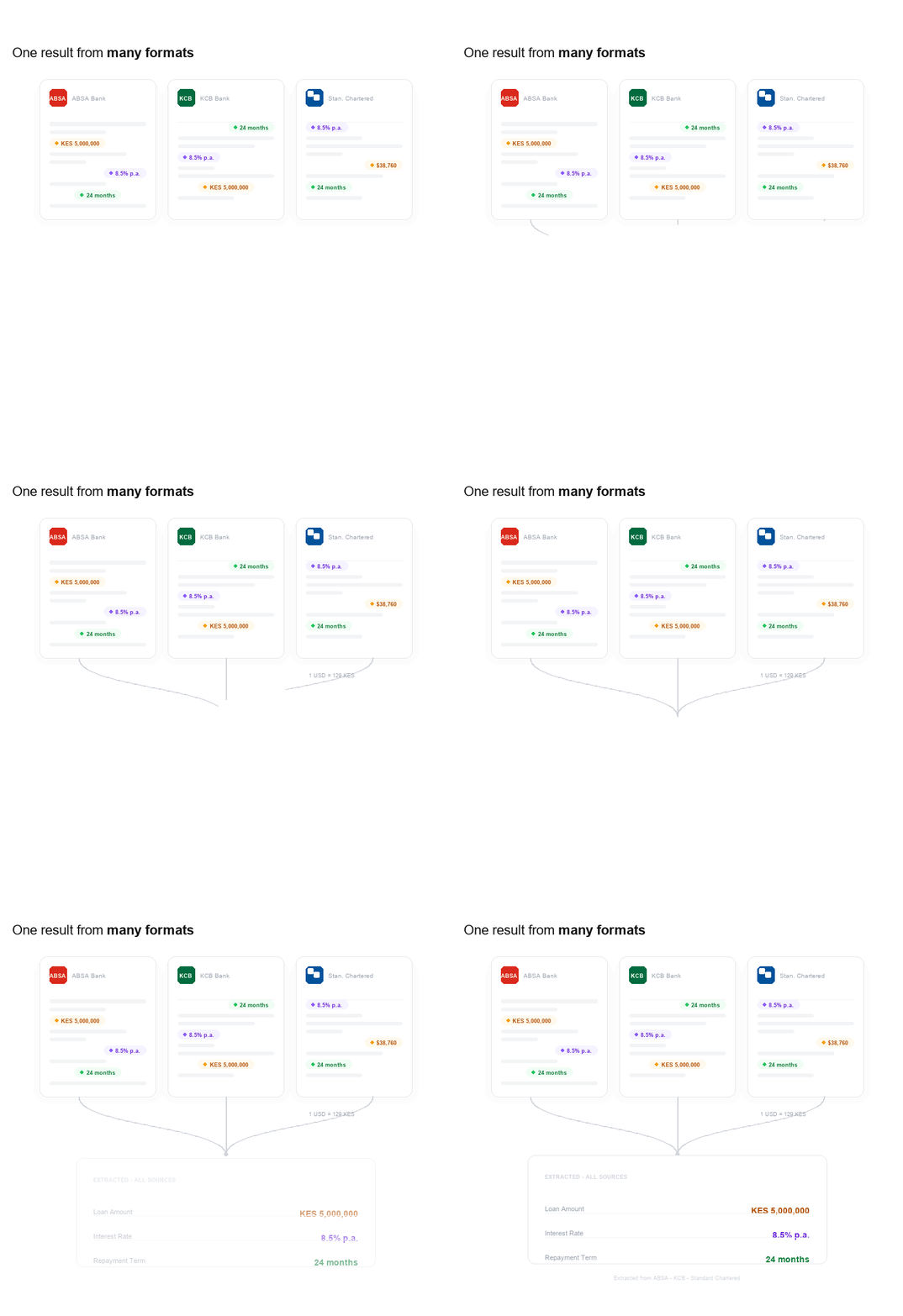
Here's a way to think about it: imagine you're building a system that helps people track their loans across different banks. Each bank has its own form layout. ABSA's document looks different from KCB's, which looks different from Standard Chartered's. They all contain the same underlying information, that is loan amount in KES, repayment period in months, interest rate etc, but it's presented differently, labelled differently, and sometimes buried among fields that aren't relevant to you.
Building a traditional OCR (Optical Character Recognition) system to handle all of these layouts would mean writing specific parsing rules for every bank, and keeping those rules up to date every time a bank changes its format. Even a good pattern-recognition approach would struggle with nuance. For example: what if a document has two fields for "amount," and the customer has put a small checkmark next to the final agreed figure? Simple pattern matching can't reason about that.
An LLM (Large Language Model) on the other hand, can. You describe what you're looking for in plain language, the same way you'd explain it to a new colleague, and the model understands. That flexibility is what makes it the right tool here.
How the New Flow Works
The most important design decision was to keep the human review step. AI makes mistakes, and our commitment to data quality means a human still needs to be in the loop.
Instead of typing values in from scratch, the user now just scans the document and reviews what the AI fills in. The most physically and mentally taxing part which was the transcription, is gone. All that remains is a comparison step.
Here's how it flows:
-
The user opens the form on their device and scans the physical document. Document scanning is handled by Google's ML Kit library, which detects the document edges cleanly and applies basic image corrections to make it legible.
-
The scanned image is uploaded to the backend, which passes it to an LLM along with a carefully written prompt. That prompt is where all the domain-specific knowledge lives: what fields to extract, what currency to use, how to handle ambiguous values, what makes a document valid (for example, requiring a visible bank logo to confirm it's a genuine bank document, not a random piece of paper).
-
The model returns structured data. Most LLM providers now offer structured output, which lets you define the exact schema you want back. You specify the field names, data types, decimal precision, date formats, whatever you need, and the model returns data that matches that schema exactly. You can even pass a regex for a field. If a value isn't found confidently, you can specify in the prompt that the model returns null rather than guessing, which is the right behaviour for a workflow where data quality matters.
-
The form is pre-filled with the extracted values. The user reviews, adjusts anything if needed, and submits.
The reviewer on the other end now sees records that are almost certainly correct.
Choosing the Right Model
Model selection came down to three things: accuracy (most important), response speed, and cost.
Testing across the major models with real document samples produced some clear differences. OpenAI's models, tested from GPT-4 up to their latest flagships which at the moment were GPT-5.4 were the slowest, averaging around 18 seconds per request. More importantly, when a document was slightly unclear, they were most likely to guess rather than return null even when the prompt explicitly instructed them not to. This was a big red flag.
Google's Gemini models performed noticeably better. The gemini-2.5-flash model handled documents the OpenAI models struggled with, averaged 5.4 seconds per request, and respected the "return null if unsure" instruction reliably. We had our winner.
Making the Wait Feel Shorter
This is a little nugget for all the UX people out there. Even at 5 seconds, a blank screen with a spinning indicator is a poor experience. The fix is simple but remarkably effective: rotating status messages, with a small animated indicator alongside them.
The text on screen cycles through the actual stages of what's happening, "Preparing document", "Reading ticket", "Confirming details", each holding for a couple of seconds before fading into the next. If the request runs long, the message shifts to something reassuring: "This is taking a little longer than usual. Please wait while we check the document."
The difference in how this feels is hard to overstate. Even building it out, watching the messages cycle through while waiting for a response, you feel like you're cheering the request on.
The Results
The numbers tell the story clearly.
In the week before rollout: 3 out of 11 records required correction — a correction rate of 27.3%.
In the first week after rollout: 0 out of 27 records required correction — a correction rate of 0%.
That's a 100% reduction in correction instances in the first week. The AI vision step eliminated all the errors that were previously making it through to the review stage.
These are early results, and a single week isn't a long-term trend. But the direction is unambiguous. Removing the transcription step didn't just reduce errors, it removed them entirely from the sample.
The Practical Takeaway
The useful part in this whole thing is that a slow, error-prone step was replaced with a faster one that produced cleaner data.
That matters because correctness compounds. Fewer wrong values means fewer records sent back, fewer review loops, and less time spent reconciling what should have been right the first time. It also means the system reflects what is happening on the ground sooner, which is the whole reason the workflow exists.
For me, I've learnt a key practical test for this kind of AI work, does it make the process more accurate, faster, or both.